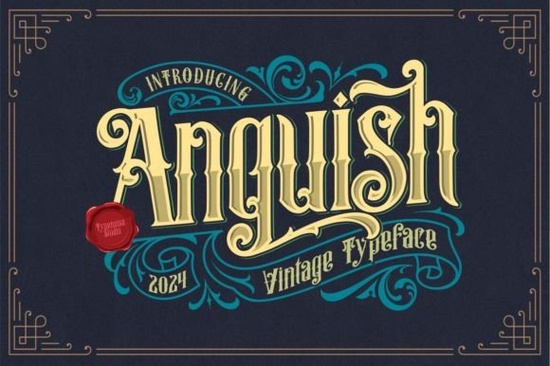
If you’ve been searching for a blackletter font that feels both timeless and full of character, Anguish Font might be exactly what your next project needs. It’s not just another gothic-style typeface it carries a vintage weight, with sharp serifs and dramatic curves that echo old-world craftsmanship. Whether you’re designing a tattoo sleeve, a book cover, or a retro poster, this font adds an instant mood without needing heavy editing or extra textures.
What makes Anguish stand out is how naturally it fits into projects that need a bold, historical edge. You don’t have to force it the letterforms already suggest mystery, grit, or solemn elegance depending on how you use them. Many designers in the tattoo font community appreciate how legible it stays even at smaller sizes, which isn’t always true with ornate blackletter styles.
What kinds of projects work best with Anguish?
This font doesn’t try to be everything to everyone and that’s a good thing. It shines when used intentionally. Here are some real-world uses we’ve seen from Creative Fabrica users:
- Tattoo designs especially script-based pieces where each letter needs to hold its own visually.
- Vintage logos breweries, metal bands, leather goods shops, or apothecary-style brands.
- Album art and posters think doom metal, folk noir, or any genre that leans into atmosphere.
- Book covers and chapter headers perfect for horror, historical fiction, or dark fantasy.
- Flyers and event posters Halloween events, gothic markets, or underground music nights.
One user even used it for embossed leather journal covers the thick strokes held up beautifully under heat stamping. That kind of versatility is rare in display fonts, especially ones with such strong personality.
Is Anguish easy to pair with other fonts?
Yes but with intention. Because it’s so visually heavy, pairing it with clean, minimalist sans-serifs often works better than trying to match it with another decorative font. Think Helvetica, Futura, or even a thin geometric sans for contrast. One clever trick: use Anguish only for headlines or key phrases, then switch to a neutral body font. This keeps the design balanced without losing impact.
If you’re browsing other options in the same family, check out how it compares to similar styles in our blackletter fonts collection. You might find a few that complement it well for layered designs or alternate weights.
Does it include special characters or multilingual support?
Anguish comes packed with extended Latin characters, so if you’re designing for European markets or bilingual projects, you’re covered. It also includes stylistic alternates and ligatures little flourishes that activate automatically in design apps like Adobe Illustrator or Affinity Designer when OpenType features are enabled. These aren’t gimmicks; they help the font feel more hand-crafted and less robotic.
Pro tip: If you’re using it in Canva or a basic word processor, you might not see all the alternates unless you manually select them from the glyph panel. Worth the extra click if you want maximum authenticity.
How does it perform for print-on-demand sellers?
Very well. The strokes are thick enough to survive low-res printing, embroidery digitizing, or vinyl cutting without getting muddy. We’ve seen it used successfully on:
- T-shirts and hoodies (especially with distressed effects layered on top)
- Mugs and pint glasses (etching or sublimation)
- Stickers and decals (both glossy and matte finishes)
- Wood signs and laser-engraved items
Just avoid ultra-thin applications like fine-line tattoos or delicate foil stamping unless you adjust stroke weights manually. The default version is built for presence, not subtlety.
Any downsides to watch for?
Like any display font, Anguish isn’t meant for paragraphs. Don’t try to set body text with it readability drops fast past a few words. Also, because of its vintage roots, some letter combinations can feel tight. A quick kerning adjustment in your design software usually fixes that.
And while it’s great for moody or serious themes, it won’t suit cheerful, modern, or corporate branding unless you’re going for ironic contrast (which can work, but tread carefully).
Final thought: If you’re drawn to fonts that tell a story before a single word is read, Anguish delivers. It’s not trendy it’s enduring. And in a world of overused minimalism, that’s refreshing.
Ready to try it? Here’s your quick checklist:
- ✅ Download and install the OTF or TTF file (both included).
- ✅ Test it at different sizes see how small you can go before losing clarity.
- ✅ Pair it with one clean, modern font for balance.
- ✅ Enable OpenType features if your software supports them.
- ✅ Use it for headlines, logos, or short impactful phrases not paragraphs.
Then start designing. No tutorials needed just let the font’s natural vibe guide you.
Get Started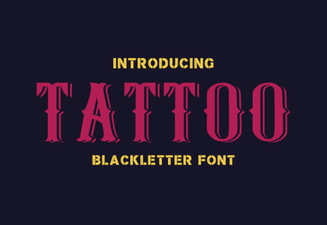 Choosing the Right Tattoo Font for Your Design
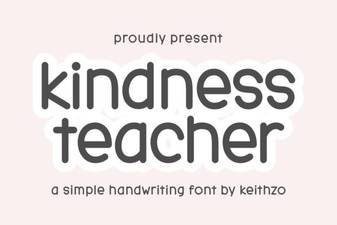 The Kindly Font for Educational Projects
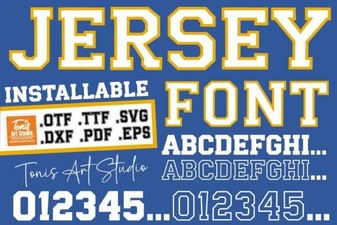 Clean Jersey Number Fonts for Sports & Design Projects
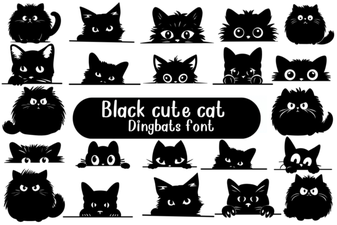 Adorable Cat Fonts for Creative Projects
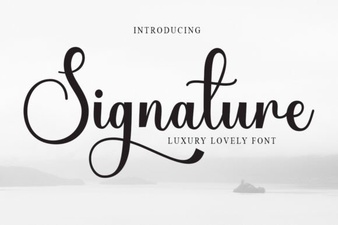 Signature Fonts for Stylish Design Projects
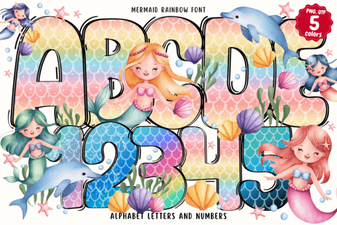 Design Your Own Projects with Mermaid Rainbow Font