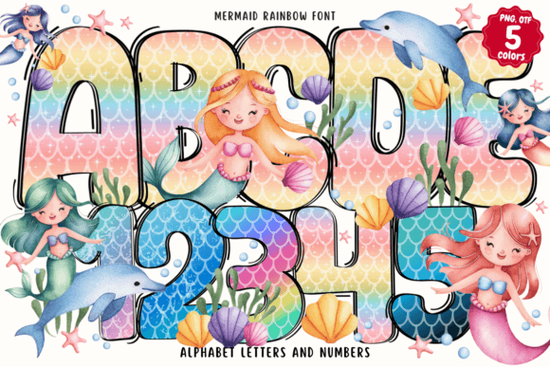
If you’ve ever wanted to add a splash of underwater magic and rainbow sparkle to your designs, the Mermaid Rainbow Font is worth checking out. It’s not your average typeface this one brings color right into the letters themselves, with flowing shapes that feel like they belong in a storybook or a child’s birthday party. Whether you’re designing invitations, classroom posters, or printable wall art, it adds instant whimsy without needing extra graphics or filters.
What makes this font stand out is how it blends fantasy with function. Each letter shimmers with gradients and curves, mimicking ocean waves and rainbow arcs. You don’t need to layer colors manually the hues are baked right into the font file. That means less time tweaking in your design software and more time creating.
Who should use this font?
If you run a small business selling custom greeting cards, party decor, or kids’ room prints, this font can help your products feel more playful and eye-catching. Teachers and homeschooling parents will find it useful for making learning materials more engaging think alphabet charts, reading rewards, or under-the-sea themed worksheets.
Crafters using Silhouette or Inkscape will appreciate how smoothly it integrates into layered projects. And if you’re into print-on-demand, imagine this font on tote bags, mugs, or kids’ t-shirts especially paired with sea creatures, bubbles, or glitter effects. It’s also a natural fit next to other fun fonts like the Neon Collection or Safari Font, depending on your theme.
What software works with it?
This is an OpenType-SVG color font, which means it’s designed to show multiple colors within each character something regular OTF or TTF files can’t do. It works beautifully in:
- Adobe Photoshop (CC 2017 and later)
- Adobe Illustrator (CC 2018 and later)
- Silhouette Studio (Business Edition)
- Inkscape (version 1.0+ with SVG font support)
Important note: If you use Cricut Design Space, the standard OTF/TTF versions won’t display the rainbow colors. You’ll need to convert or rasterize the text first. Creative Fabrica has a handy Ultimate Font Guide that walks you through setup for different programs definitely worth bookmarking if you’re new to color fonts.
How do I make the most of it in my projects?
Because the font already carries so much visual weight, keep backgrounds simple. A white or soft pastel backdrop lets the colors pop without competing. Pair it with clean, minimal sans-serif fonts for contrast like using it for headlines while keeping body text neutral.
Try scaling it up for big impact on posters or banners. The flowing style holds up well at larger sizes, and the embedded colors stay crisp. For digital use, like social media graphics or web buttons, export as PNG with transparency to preserve the vibrancy.
You can also layer it with clipart think seashells, dolphins, or starfish to build full scenes. Or combine it with seasonal fonts like the Independence Day 3D Font for holiday mashups (yes, rainbow mermaids at a July 4th pool party? Why not).
Any limitations I should know about?
While gorgeous, this font isn’t meant for long paragraphs. It’s best used for titles, names, quotes, or short phrases. Also, because it’s illustrative, some letters might feel tight together adjust tracking slightly if needed for readability.
And remember: since it’s a color font, exporting for embroidery machines or older cutting software may require converting text to outlines or images first. Always test your output before finalizing bulk orders or print runs.
What else pairs well with it?
If you love the magical vibe, check out the Colorful USA Flag Font for patriotic flair, or browse the rest of Creative Fabrica’s colorful fonts section for more themed options. Mixing styles like pairing this with a bold stencil font can create unexpected but fun contrasts.
One tip: download the full family if available. Some versions include alternate characters or bonus dingbats (like little fish or bubbles) that aren’t shown in previews. Those extras can turn a good design into a great one.
Quick checklist before you start:
- Check your software make sure it supports OpenType-SVG fonts.
- Keep backgrounds light let those rainbow colors shine.
- Use sparingly one or two words often have more impact than a full sentence.
- Test print or export especially if sending files to clients or printers.
- Explore alternates many color fonts include hidden gems in the glyph panel.
Ready to dive in? Start with a small project maybe a birthday invite or a classroom door sign and see how the Mermaid Rainbow Font transforms your work. Sometimes, the right typeface doesn’t just say something… it makes people smile before they even read the words.
Try It Free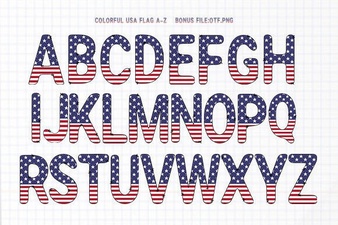 Free Download: Usa Flag Fonts for Patriotic Designs
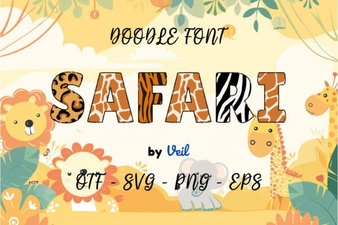 Elevate Your Web Design with Safari Font
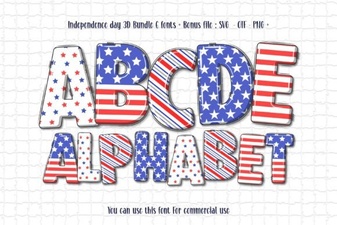 Fireworks & Stars: Independence Day 3d Font Ideas
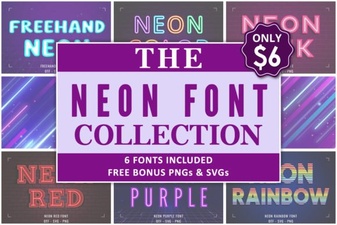 Light Up Your Designs with Neon Fonts
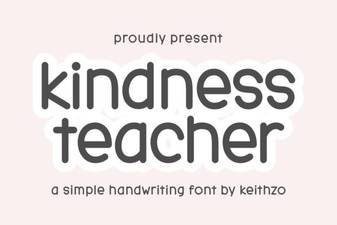 The Kindly Font for Educational Projects
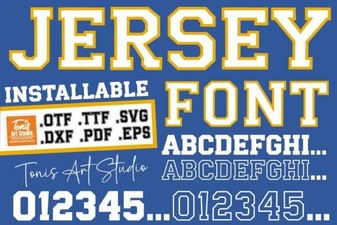 Clean Jersey Number Fonts for Sports & Design Projects