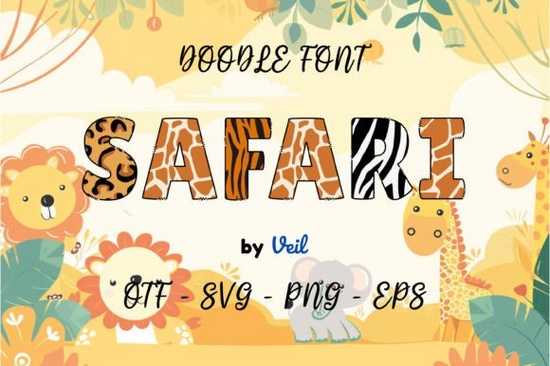
If you’re looking for a font that brings playful energy to your projects, the Safari Font might be just what you need. It’s especially great for designs aimed at kids think storybooks, birthday invites, classroom posters, or even custom greeting cards. The whimsical curves and bold shapes make it easy to read while keeping things fun and visually engaging.
This font comes in two versions: black and color. The black version works smoothly with Cricut Design Space and similar cutting machines, which is perfect if you’re into vinyl crafting or making physical products. But if you want to use the full-color version with its layered, vibrant look you’ll need software like Photoshop, Illustrator, Silhouette Studio, or Inkscape. Just keep in mind, the OTF/TTF files for the color version won’t work directly in Cricut. If you’re unsure how to install or layer these kinds of fonts, Creative Fabrica’s Ultimate Font Guide walks you through it step by step.
What kinds of projects does this font work best for?
Because of its friendly, hand-drawn style, Safari Font shines in any project where personality matters more than formality. Here are some common uses:
- Children’s books – The rounded, bubbly letters hold attention without overwhelming young readers.
- Birthday invitations – Especially animal- or jungle-themed parties.
- Classroom decor – Bulletin boards, name tags, or reward charts feel more inviting.
- Greeting cards – Adds charm to handmade or print-on-demand cards.
- Merchandise for small shops – Think onesies, tote bags, or wall art with cute sayings.
If you’ve used other playful fonts like the Mermaid Rainbow Font or the Neon Collection, you’ll find Safari Font fits right in with that same cheerful, illustrative vibe. It pairs well with clipart, watercolor backgrounds, or even bold solid colors.
Can I use this with my Cricut or Silhouette machine?
Yes but only the black version. If you’re planning to cut vinyl, heat transfer, or paper crafts using your Cricut Maker, Explore, or Silhouette Cameo, stick with the single-color (black) file. It’s built to work cleanly with those machines’ text tools.
The color version? That’s strictly for digital design. You’ll need to open it in a program that supports multi-layered SVG or color fonts again, that’s Photoshop, Illustrator, Inkscape, or Silhouette Studio (in advanced mode). Some users try to force-install the OTF/TTF color files into Cricut and get frustrated when the layers don’t show up. Save yourself the headache: use the right tool for the right version.
How does it compare to other themed fonts on Creative Fabrica?
If you like Safari Font’s playful energy, you might also enjoy fonts with similar moods. For example, the Colorful USA Flag Font is perfect for patriotic designs, while the Independence Day 3D Font adds depth and dimension to summer holiday projects. Each has its own character, but they all share that same “designed to delight” approach.
One thing that sets Safari Font apart is how legible it stays, even at smaller sizes. Many decorative fonts lose clarity when scaled down, but this one keeps its shape making it reliable for everything from book titles to tiny gift tags.
Any tips for getting the most out of this font?
A few quick ideas to help you use it well:
- Pair it with simple sans-serif fonts for contrast let Safari handle headlines or key phrases, and use something clean like Arial or Helvetica for body text.
- Don’t overuse it. Because it’s so expressive, using it for long paragraphs can feel overwhelming. Stick to titles, labels, or short quotes.
- Try adjusting letter spacing slightly if things feel too tight a little breathing room can make the design feel more polished.
- If you’re printing, test a sample first. Some printers handle the thicker strokes better than others.
And remember if you’re ever stuck on installation or layering, check out Creative Fabrica’s support section. They’ve got clear video guides that walk you through tricky setups, whether you’re on Mac, Windows, or using mobile apps.
Where should I start if I’m new to colorful fonts?
Start small. Pick one project maybe a child’s birthday card or a classroom poster and use Safari Font just for the main headline. See how it feels. Watch how people react to it. Once you’re comfortable, experiment with layering the color version in Photoshop or adding subtle shadows in Illustrator.
You don’t need to master every feature right away. Even using it in its simplest form as a bold, cheerful title will add instant personality to your work.
Next step: Download the font, open your preferred design software, and type out a word that makes you smile. Then play with size, color, and background until it feels just right. Sometimes the best way to learn a font is to let it surprise you.
Explore Design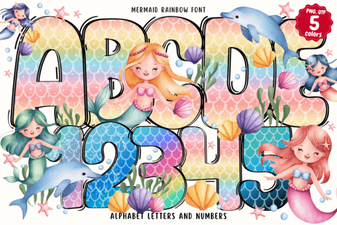 Design Your Own Projects with Mermaid Rainbow Font
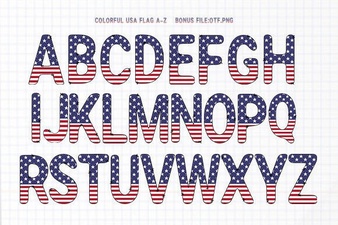 Free Download: Usa Flag Fonts for Patriotic Designs
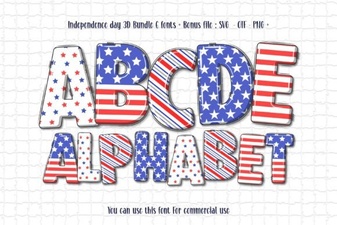 Fireworks & Stars: Independence Day 3d Font Ideas
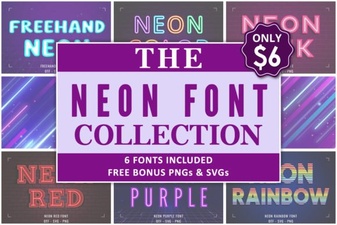 Light Up Your Designs with Neon Fonts
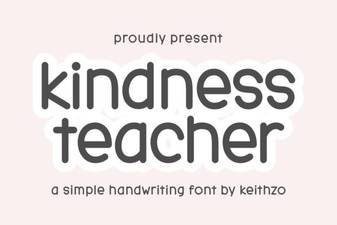 The Kindly Font for Educational Projects
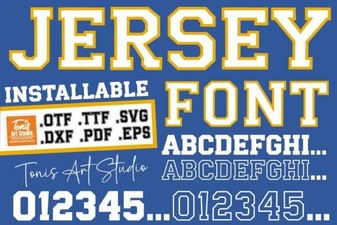 Clean Jersey Number Fonts for Sports & Design Projects