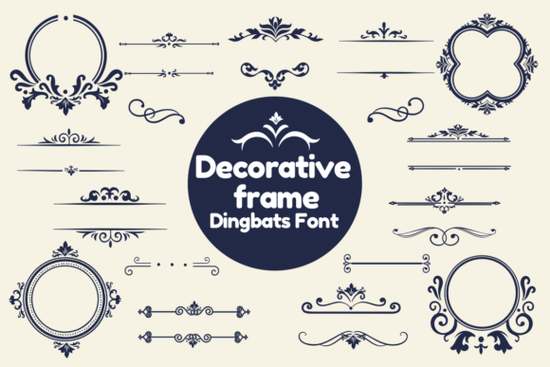
If you’ve ever wanted to add a little extra charm around your text or images without spending hours in design software, the Decorative Frame Font might be exactly what you’re looking for. It’s not your average typeface think of it as a set of beautiful, ready-to-type picture frames. Each key on your keyboard gives you a different frame style, so whether you’re wrapping a quote, highlighting a name, or framing a logo, you can do it with just a few keystrokes.
This kind of font falls under the dingbat category fonts that use symbols instead of letters. If you’ve used fonts like Black Cute Cat before, you’ll feel right at home. Dingbats are perfect for crafters and small business owners who need quick, stylish graphics without complicated tools.
Who actually uses this kind of font?
You don’t need to be a pro designer to get value from it. Here’s who finds these fonts especially handy:
- Print-on-demand sellers Add instant polish to t-shirts, mugs, or stickers by framing quotes or names elegantly.
- Small business owners Use them in flyers, social media posts, or packaging to make your brand feel more personal and detailed.
- Crafters and hobbyists Whether you’re making greeting cards, scrapbook pages, or vinyl decals, these frames give your projects a finished, boutique look.
- Teachers and event planners Create eye-catching certificates, party invites, or classroom decorations with minimal effort.
And if you’re already browsing decorative options, you might also like checking out other dingbat fonts with frame styles sometimes mixing a few together gives you even more creative flexibility.
How do I install and use it?
Once you download the font file (usually .OTF or .TTF), installing it is simple:
- On Windows: Right-click the file and choose “Install.”
- On Mac: Double-click and click “Install Font.”
- Restart your design app (like Canva, Photoshop, Illustrator, or even Word) and find “Decorative Frame” in your font list.
Then just type any letter or symbol each one triggers a different frame. Try typing A, B, C… or even punctuation marks. You’ll see how each character maps to a unique border. Some apps let you preview glyphs directly, which helps you pick the perfect frame faster.
What kinds of projects work best with this font?
Because these frames are scalable vector shapes (not images), they stay crisp at any size. That makes them ideal for:
- Wedding invitations Frame the couple’s names or the date with ornate borders.
- Product labels Give handmade soaps, candles, or jams a premium, artisanal feel.
- Social media graphics Highlight testimonials, quotes, or announcements inside elegant boxes.
- Kids’ crafts or classroom decor Even young designers can type a letter and instantly get a cute frame to color or cut out.
Pairing this font with something clean and simple like a basic sans-serif keeps your design balanced. You don’t want the frame overpowering your message. Think of it like jewelry: a little goes a long way.
Can I use it commercially?
Yes Creative Fabrica typically includes a commercial license with their fonts, so you’re covered for selling physical or digital products. Always double-check the license details on your download page, but generally, you’re free to use it on items you sell, whether online or at local markets.
If you’re exploring similar tools, another playful option worth a peek is the cat-themed dingbat font. It’s not a frame font, but if you’re designing for pet lovers or kids, those little icons pair surprisingly well with decorative borders.
Any tips to avoid common mistakes?
A few small things go a long way:
- Don’t overdo it. One framed element per design usually looks better than five.
- Check spacing. Some frames have thick borders make sure your inner text isn’t getting squeezed.
- Test print sizes. What looks great on screen might feel too busy when printed tiny on a sticker.
- Layer smartly. Place the frame behind your text or image, not on top, unless you’re going for a cut-out effect.
And remember since this is a font, not an image, you can recolor it easily. Change the frame to match your brand palette or seasonal theme in just a click.
Ready to try it? Head over to Decorative Frame on Creative Fabrica, grab your copy, and start framing your next project today. No design degree required just type, tweak, and enjoy the polish it adds.
Quick checklist before you start:
- ✅ Install the font and restart your app
- ✅ Type different keys to explore frame styles
- ✅ Pair with a simple font for contrast
- ✅ Resize and recolor to match your project
- ✅ Save a backup of your design with outlines (in case the font doesn’t load elsewhere)
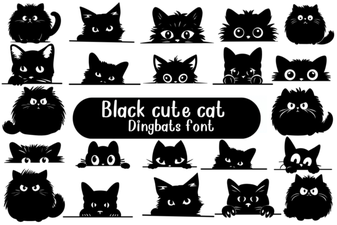 Adorable Cat Fonts for Creative Projects
 The Kindly Font for Educational Projects
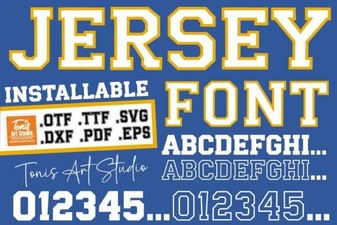 Clean Jersey Number Fonts for Sports & Design Projects
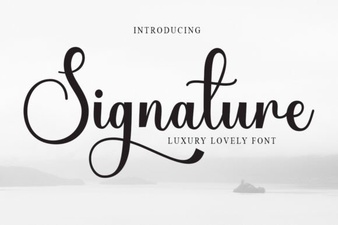 Signature Fonts for Stylish Design Projects
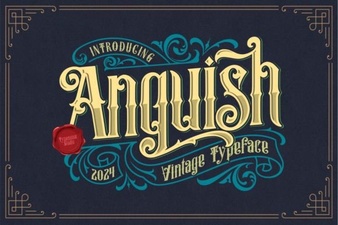 Anguish Font: Creative Design Ideas & Applications
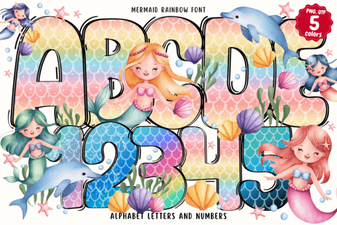 Design Your Own Projects with Mermaid Rainbow Font